Blog

  • Metal Gear Solid: Peace Walker PPSSPP HD Pack Textures – Android Download

    Metal Gear Solid: Peace Walker PPSSPP HD Pack Textures – Android Download

    Download Metal Gear Solid: Peace Walker PPSSPP HD Pack Textures and play it on your mobile device using the PPSSPP emulator. Sharper UI, upgraded menus and HD visuals, 100% offline on Android.

    Overview Of Metal Gear Solid: Peace Walker PPSSPP HD Pack Textures

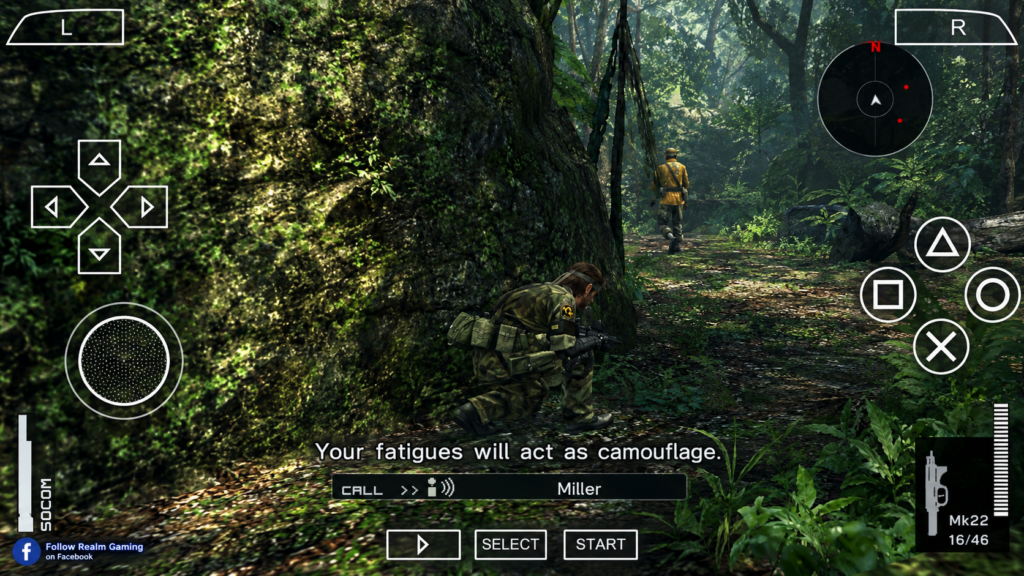
    Metal Gear Solid: Peace Walker PPSSPP HD Pack Textures is one of the most searched mods for stealth action fans on Android. Peace Walker is already considered one of the best games ever made for the PSP, directed by series creator Hideo Kojima himself, and this HD texture pack takes the classic experience and sharpens it up for modern phone screens.

    Instead of changing the gameplay, the HD pack focuses on cleaning up the parts of the game that looked blurry when stretched to larger, high-resolution screens. This includes the menus, the HUD, fonts, icons, and several title and mission intro screens, giving Metal Gear Solid: Peace Walker a noticeably crisper look without touching the core game itself.

    The HD Pack Textures is lightweight, usually sitting at under 100MB, which makes it one of the easiest mods to add on top of your existing Metal Gear Solid: Peace Walker PPSSPP installation. Combined with the free PPSSPP emulator, Android players get a stealth action classic that looks noticeably better while still running smoothly, even on mid-range phones.

    Key Features

    • Small Add-On Size: The HD Pack Textures file is typically under 100MB, easy to install alongside the main game.
    • Sharper HUD And UI: Menus, icons, and on-screen elements look much clearer on modern phone screens.
    • Upgraded Fonts And Icons: Text and small details are replaced with cleaner, higher resolution versions.
    • Remade Title And Mission Screens: Boss introduction and title screens get a noticeable visual upgrade.
    • Deep Stealth Gameplay: Full Metal Gear Solid: Peace Walker missions, Mother Base management, and co-op content included.
    • Offline Gameplay: No internet connection needed once installation is complete.
    • Works With Existing Save Data: The texture pack doesn’t affect your save files, so your progress stays safe.

    What Is Metal Gear Solid: Peace Walker PPSSPP HD Pack Textures

    Metal Gear Solid: Peace Walker PPSSPP HD Pack Textures is a fan-made texture replacement pack, not a full remaster. It works through a PPSSPP feature called “texture replacement,” which allows the emulator to swap out the original, low resolution PSP graphics for sharper, custom-made versions while the base game stays exactly the same underneath.

    Metal Gear Solid: Peace Walker was originally released in 2010 for the PlayStation Portable, and it remains a fan favorite for its mix of stealth action, base building, and cooperative missions. Because it was built for a small PSP screen, the original textures can look rough when played on a large modern phone display. The HD Pack Textures mod directly fixes that issue.

    To use Metal Gear Solid: Peace Walker PPSSPP HD Pack Textures, players need the PPSSPP emulator along with the base game file for Metal Gear Solid: Peace Walker. The mod folder has to match the exact Game ID of your copy of the game, which for the US version is ULUS10509, so that PPSSPP knows exactly which textures belong to which game.

    This mod continues to be searched for years after its original release because stealth game fans still consider Peace Walker one of the best entries in the Metal Gear series, and the HD Pack Textures mod is one of the simplest ways to make it look noticeably better on a modern phone.
    Metal Gear Solid: Peace Walker PPSSPP HD Pack Textures – Android Download

    Steps To Download And Install Metal Gear Solid: Peace Walker PPSSPP HD Pack Textures On Mobile Android

    Part 1: Installing The Base Game


    1. Check your storage space. Make sure your phone has at least
      1.5GB free for the base game, plus a little extra for the texture pack.

    2. Install the PPSSPP emulator. Search for “PPSSPP” on the Google
      Play Store and install the official free app.

    3. Install a file extractor app. Download ZArchiver so you can
      unpack ZIP or RAR files.

    4. Extract the ISO file. Open ZArchiver, find the downloaded game
      file, and extract it to get the ISO or CSO file.

    5. Move the ISO into the PSP folder. Place the file inside
      Internal Storage/PSP/GAME/.

    6. Open PPSSPP and confirm the game runs. Launch the emulator, find
      the game using its file browser, and make sure Metal Gear Solid: Peace Walker
      loads properly before adding the HD texture pack.

    Part 2: Installing The HD Pack Textures


    1. Confirm your Game ID. Tap the “i” icon next to Metal Gear Solid:
      Peace Walker inside PPSSPP to check your Game ID. For most players, this will be
      ULUS10509.

    2. Extract the HD Pack Textures file. Use ZArchiver to unzip the
      downloaded HD texture pack.

    3. Find the correct TEXTURES folder. On most phones, this is
      Internal Storage/PSP/TEXTURES/. On Android 11 and above, it’s
      usually Android/data/org.ppsspp.ppsspp/files/PSP/TEXTURES/ instead,
      since newer Android versions restrict direct access to the visible storage
      folder.

    4. Create a Game ID folder. Inside the TEXTURES folder, create a
      new folder named exactly ULUS10509 if it doesn’t already exist.

    5. Paste the HD texture files inside. Move all the extracted files
      from the HD Pack Textures into this ULUS10509 folder.

    6. Turn on texture replacement. In PPSSPP, go to Settings, then
      Tools, then Developer Tools, and make sure “Replace Textures” is switched on.

    7. Restart the game. Close and reopen Metal Gear Solid: Peace
      Walker from PPSSPP. The upgraded HUD, fonts, and title screens should now appear
      automatically.

    If the new textures don’t show up, double-check that the folder name matches your Game ID exactly, and that “Replace Textures” is turned on in PPSSPP’s developer settings.

    Download Metal Gear Solid: Peace Walker PPSSPP HD Pack Textures For Android

      ⚡ Download 👈

    Download Metal Gear Solid: Peace Walker PPSSPP HD Pack Textures and play it right on your mobile device, or share the mod with friends so you can both enjoy a sharper-looking version of this stealth action classic. It’s a simple way to give an old favorite a fresh new look without changing any of the gameplay you already love.

    If you enjoy this kind of mod, you may also want to look into other PSP stealth and action titles that work well with PPSSPP, such as Metal Gear Solid: Portable Ops, God of War: Ghost of Sparta, and Tekken 6 PPSSPP Mod for a different style of action gameplay. Fans of Metal Gear Solid: Peace Walker often enjoy these titles for a similar mix of classic PSP-era storytelling and gameplay depth.

    Whether you’re replaying Peace Walker for the tenth time or jumping into Big Boss’s story for the first time, the HD Pack Textures mod is one of the easiest upgrades you can add to your PPSSPP setup.

    Frequently Asked Questions

    Does the HD Pack Textures change the Metal Gear Solid: Peace Walker gameplay?

    No, the mod only replaces visuals like the HUD, menus, fonts, and some title screens. The missions, story, and gameplay stay exactly the same.

    Will this mod affect my existing save data?

    No, the HD Pack Textures only changes graphics files. Your save data and progress in Metal Gear Solid: Peace Walker stay completely untouched.

    Does Metal Gear Solid: Peace Walker PPSSPP work offline?

    Yes, once installed, the game runs 100% offline, including the HD texture pack. No internet connection is needed to play.

    Why aren’t my new textures showing up in-game?

    This usually means either the Game ID folder name is incorrect, the files were placed in the wrong TEXTURES location for your Android version, or “Replace Textures” hasn’t been turned on in PPSSPP settings.

    Does this mod work on the EU version of the game?

    Yes, the HD Pack Textures is compatible with the EU version as well, though you’ll need to name your folder using the EU Game ID instead of the US one.
  • EA SPORTS FC 27 PPSSPP V1.1 (1GB)- Android Download

    EA SPORTS FC 27 PPSSPP V1.1 (1GB)- Android Download

    Download EA Sports FC 27 PPSSPP V1.1 and play it on your mobile device using the PPSSPP emulator. Get the latest 2026/27 transfers, new kits, PS5 camera and HD graphics, 100% offline.

    Overview Of EA Sports FC 27 PPSSPP V1.1 (1GB)

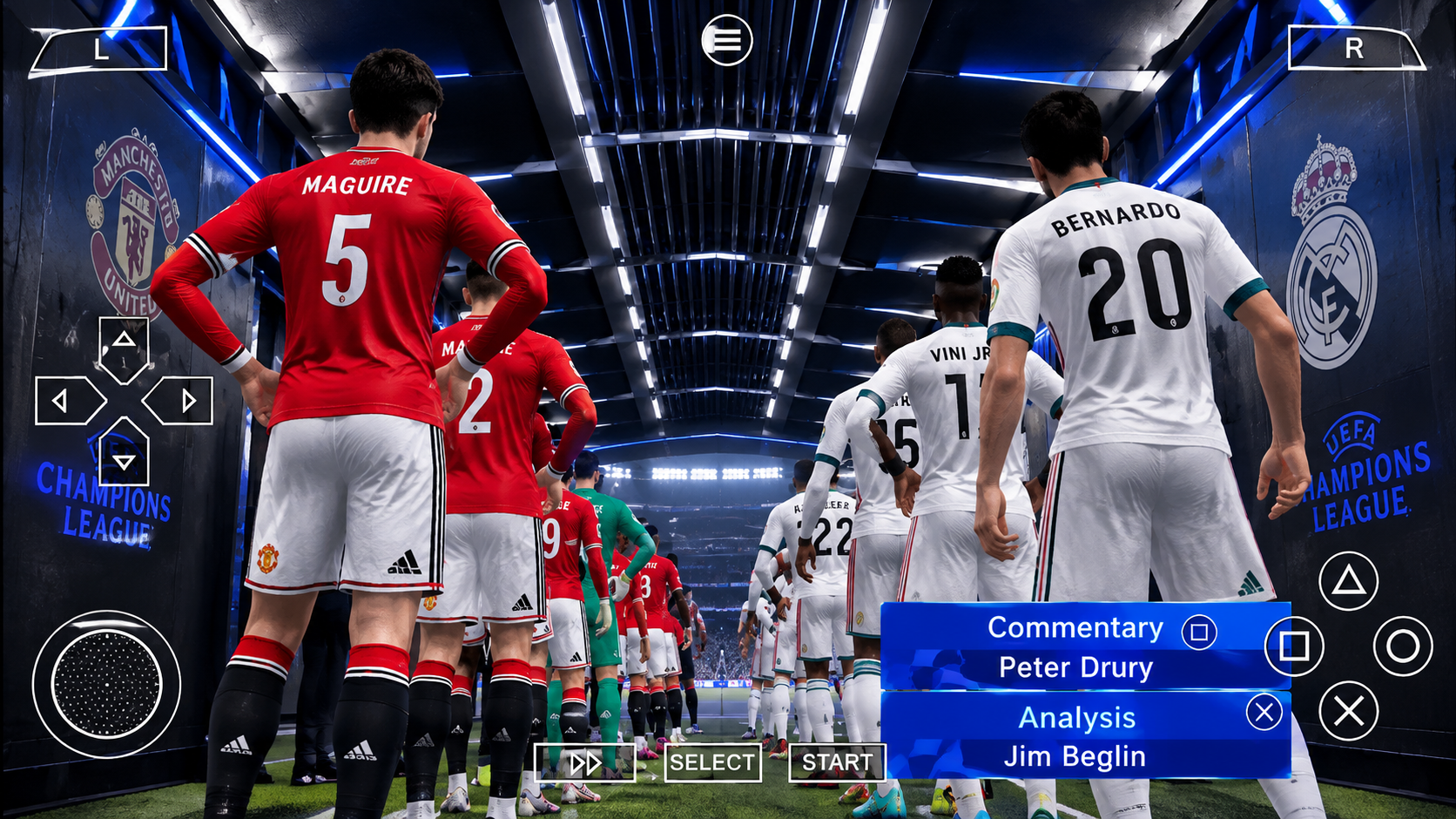
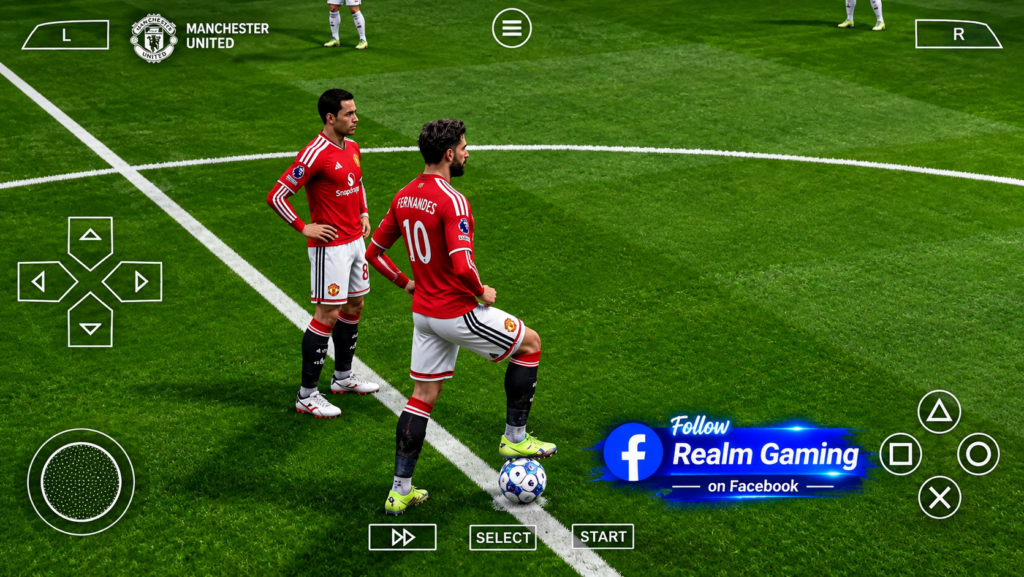
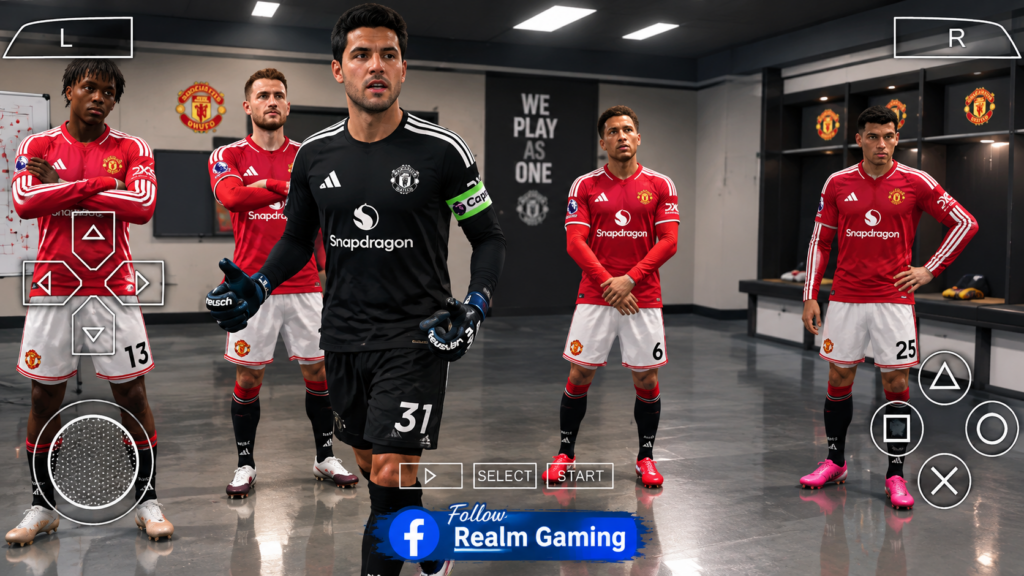
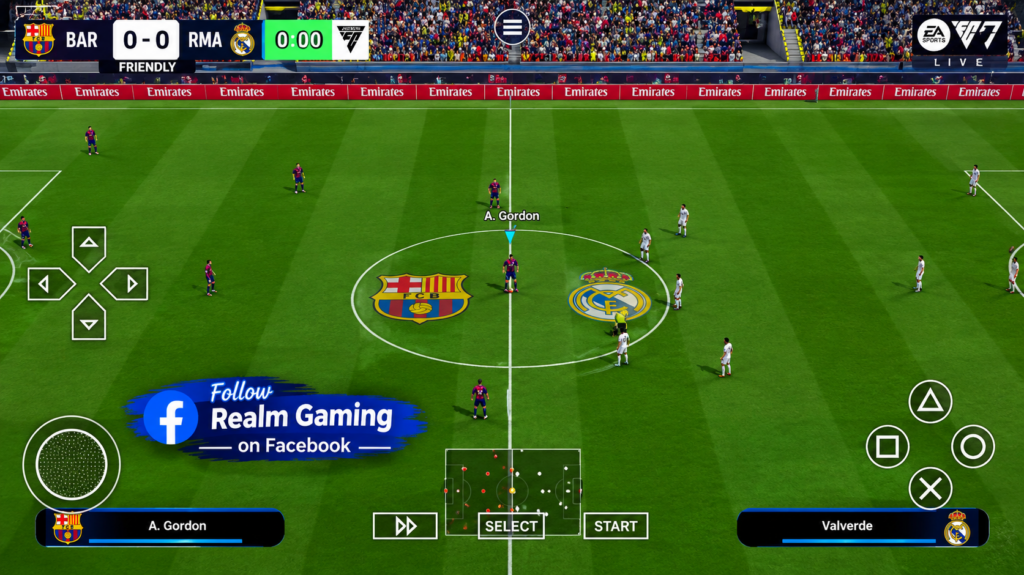
    EA Sports FC 27 PPSSPP V1.1 is one of the most searched football games for Android right now. It brings the full 2026/27 football season to your phone in a single 1GB package, giving players a complete offline football experience without needing a PlayStation, Xbox, or gaming PC.

    EA Sports FC 27 PPSSPP V1.1 is built on the classic PSP football engine, but it has been completely reworked by the modding community to feel like a modern football title. From the moment the game loads, you’ll notice updated kits, refreshed player faces, new stadiums, and a much smoother presentation compared to older FC and FIFA PPSSPP releases.

    What makes EA Sports FC 27 PPSSPP V1.1 stand out is just how much football content is packed into 1GB. Players get the latest 2026/27 transfers, updated UEFA Champions League group stages, new promoted teams, improved commentary, and a realistic PS5-style broadcast camera, all running completely offline through the free PPSSPP emulator.

    Key Features

    • EA Sports FC 27 V1.1 Update: The newest patch, bundled into a single 1GB download.
    • Latest 2026/27 Transfers: Squads are updated to match the real summer transfer window.
    • New Promoted Teams: Correct 2026/27 promoted clubs are included across major leagues.
    • Updated UCL 2026/27 Group Layout: The Champions League mode matches the real tournament stage.
    • PS5-Style Camera: A wide, dynamic broadcast camera angle for a more realistic match feel.
    • Real Player Faces And Kits: Updated club and national team kits, minikits, and sharper faces.
    • Improved Commentary: A more immersive, TV broadcast style during matches.
    • 100% Offline Mode: Play anytime, anywhere, without needing an internet connection.

    What Is EA Sports FC 27 PPSSPP V1.1

    EA Sports FC 27 PPSSPP V1.1 is a community-built football game modification, created by dedicated modders who take the older PSP football engine and update it to match the current football season. Since this isn’t an official EA release, the “V1.1” label tells players exactly which patch of the game they’re downloading, as the modding team keeps releasing newer versions over time.

    To play EA Sports FC 27 PPSSPP V1.1 on Android, you need the PPSSPP emulator, a free app that lets PSP-based games run smoothly on mobile phones. Once installed, PPSSPP loads the FC 27 ISO file along with its save data and texture files, giving you the complete, updated football package in one place.

    One reason EA Sports FC 27 PPSSPP V1.1 is getting so much attention is the 1GB file size, which strikes a balance between a smaller download and a more detailed, higher quality game compared to some of the ultra-compressed 500MB to 600MB versions floating around. It keeps the stadiums, kits, and faces looking sharp while still staying light enough for most Android phones.

    Fans keep coming back for each new EA Sports FC 27 PPSSPP version because the modding team regularly refreshes rosters to match real football news. This keeps the game feeling current, instead of playing with an outdated squad from a past season.

    EA SPORTS FC 27 PPSSPP V1.1 (1GB)- Android Download

    Steps To Download And Install EA Sports FC 27 PPSSPP V1.1 On Mobile Android


    1. Check your phone’s storage. Make sure you have at least 2GB of
      free space, since the files expand after extraction.

    2. Install the PPSSPP emulator. Search for “PPSSPP” on the Google
      Play Store and install the official free app, or PPSSPP Gold for the paid
      version.

    3. Install a file extractor app. EA Sports FC 27 PPSSPP V1.1
      usually comes as a ZIP or RAR file, so install ZArchiver to unpack it.

    4. Extract the game files. Open ZArchiver, find the downloaded 1GB
      file, and extract it to reveal the ISO, save data, and texture folders.

    5. Move the ISO file. Place the extracted ISO into
      Internal Storage/PSP/GAME/.

    6. Add the save data. Copy the save data folder into
      Internal Storage/PSP/SAVEDATA/, since this is where the updated
      rosters and transfers are stored.

    7. Add the texture pack. Place the texture files inside
      Internal Storage/PSP/TEXTURES/, or on Android 11 and above, inside
      Android/data/org.ppsspp.ppsspp/files/PSP/TEXTURES/.

    8. Open PPSSPP and load the game. Launch PPSSPP, use the file
      browser to find your FC 27 ISO, and tap it to start loading V1.1.

    9. Turn on texture replacement. Go to Settings, then Tools, then
      Developer Tools, and switch on “Replace Textures” so the kits and faces display
      properly.

    10. Start playing. Once everything loads, you’re ready to kick off
      with the newest 2026/27 transfers and kits.

    If the game runs slowly, try lowering the rendering resolution to 2x and switching the graphics backend to Vulkan for smoother performance on most Android phones.

    Download EA Sports FC 27 PPSSPP V1.1 For Android

      ⚡ Download 👈

    Download EA Sports FC 27 PPSSPP V1.1 and play it right on your mobile device, or share it with friends so you can play together too. It’s a great way to enjoy a full, up-to-date football season on the go, without needing a console or a strong internet connection.

    If you’re into this type of game, there are plenty of other titles worth checking out as well, including EA Sports FC 26 PPSSPP, the FIFA 16 Mod FC 27 build, and eFootball PES 27 PPSSPP for a slightly different football experience. Classic offline sports games like Dream League Soccer are also popular picks among players who enjoy this style of mobile football gaming.

    Whether you’ve been following every EA Sports FC 27 update since the first patch, or you’re installing V1.1 for the very first time, this version offers one of the most complete offline football experiences available on Android today.

    Frequently Asked Questions

    Is EA Sports FC 27 PPSSPP V1.1 free to download?

    Yes, EA Sports FC 27 PPSSPP V1.1 is completely free. The only tools you need are the free PPSSPP emulator and a file extractor app like ZArchiver.

    Does EA Sports FC 27 PPSSPP V1.1 work offline?

    Yes, once the game is installed, it runs 100% offline. You don’t need Wi-Fi or mobile data to play matches, tournaments, or career mode.

    Will EA Sports FC 27 PPSSPP V1.1 run on a low-end phone?

    Yes, most Android phones with at least 2GB of RAM can run the game smoothly. Lowering the resolution and frame skip settings in PPSSPP helps older devices run it even better.

    Is EA Sports FC 27 PPSSPP V1.1 safe to install?

    As long as you download the files from a trusted source and scan them before extracting, the game is safe to install. Always check file sizes and reviews before downloading.

    What’s new in V1.1 compared to older versions?

    V1.1 includes the latest 2026/27 transfer updates, new promoted teams, an updated Champions League group stage, improved player faces, and smoother overall performance compared to earlier EA Sports FC 27 builds.

  • eFootball PES 27 PPSSPP V1.1 (800MB) – Android Download

    eFootball PES 27 PPSSPP V1.1 (800MB) – Android Download

    Download eFootball PES 27 PPSSPP V1.1 and play on your mobile phone using the PPSSPP emulator.

    Overview Of eFootball PES 27 PPSSPP V1.1 (800MB)

    eFootball PES 27 PPSSPP V1.1 is one of the most downloaded football updates for Android right now, and it’s easy to see why. This version of eFootball PES 27 brings the full 2026/27 football season to your phone in a compact 800MB package, giving players a complete offline football experience without needing a PlayStation or expensive gaming setup.

    eFootball PES 27 PPSSPP V1.1 is built on the classic PES PSP engine, but it has been carefully modified by the modding community to feel like a modern football title. From the moment you load eFootball PES 27, you’ll notice updated kits, refreshed player faces, and a smoother overall experience compared to older PES PPSSPP releases.

    What makes eFootball PES 27 PPSSPP V1.1 especially popular is how much content is packed into just 800MB. Players get the latest 2026/27 transfers, new promoted teams, updated Champions League group layouts, and even English commentary, all running completely offline through the free PPSSPP emulator. For players who want the newest eFootball PES 27 experience without a huge download, V1.1 is the version most people are searching for.

    Key Features

    • eFootball PES 27 V1.1 Update: The latest patch version, packed into a manageable 800MB download.
    • Latest 2026/27 Transfers: Player squads in eFootball PES 27 reflect the newest transfer window changes.
    • New Promoted Teams: eFootball PES 27 includes the correct 2026/27 promoted clubs across major leagues.
    • Updated UCL Group Layout: The Champions League mode in eFootball PES 27 matches the real 2026/27 group stage.
    • PS5-Style Camera: eFootball PES 27 PPSSPP V1.1 includes the fan-favorite broadcast camera angle.
    • Real Player Faces And New Kits: eFootball PES 27 features improved faces, club kits, and minikits.
    • English Commentary: Adds a more immersive, broadcast-style feel to every eFootball PES 27 match.
    • 100% Offline Mode: Play eFootball PES 27 anytime without needing an internet connection.

    What Is eFootball PES 27 PPSSPP V1.1

    eFootball PES 27 PPSSPP V1.1 is the newest patch of the fan-made eFootball PES 27 project, a community-built football game based on the older PES PSP engine but heavily updated to match the current football season. Since this is not an official Konami release, the “V1.1” label simply tells players which version of eFootball PES 27 they are downloading, as the modding team continues to release newer patches over time.

    To play eFootball PES 27 PPSSPP V1.1 on Android, you need the PPSSPP emulator, a free app that allows PSP games to run smoothly on mobile phones. Once installed, PPSSPP loads the eFootball PES 27 ISO file along with its save data and texture files, giving you the complete, updated football experience in one package.

    One reason eFootball PES 27 PPSSPP V1.1 stands out from earlier releases is the 800MB file size. Previous eFootball PES 27 builds were sometimes larger or split into multiple downloads, but V1.1 keeps everything more compact while still including major updates like new transfers, updated kits, and the popular PS5 camera view.

    Fans of eFootball PES 27 continue to search for each new version because the modding team regularly refreshes squads and rosters to match real football news. This keeps eFootball PES 27 feeling current, instead of playing with an outdated roster from a previous season.

    eFootball PES 27 PPSSPP V1.1 (800MB) - Android Download

    Steps To Download And Install eFootball PES 27 PPSSPP V1.1 On Mobile Android


    1. Check your phone’s storage. Make sure you have at least 1.5GB
      of free space before installing eFootball PES 27 PPSSPP V1.1, since the files
      expand after extraction.

    2. Install the PPSSPP emulator. Search for “PPSSPP” on the Google
      Play Store and install the official free app, or PPSSPP Gold if you prefer the
      paid version.

    3. Install a file extractor app. Since eFootball PES 27 PPSSPP
      V1.1 usually comes as a ZIP file, install ZArchiver so you can unpack it
      properly.

    4. Extract the eFootball PES 27 files. Open ZArchiver, locate the
      downloaded 800MB file, and extract it to reveal the ISO, save data, and texture
      folders.

    5. Move the ISO file. Place the extracted eFootball PES 27 ISO
      file inside Internal Storage/PSP/GAME/.

    6. Add the save data. Copy the save data folder from the V1.1
      update into Internal Storage/PSP/SAVEDATA/, since this is where
      the updated eFootball PES 27 rosters and transfers are stored.

    7. Add the texture pack. Place the eFootball PES 27 texture files
      inside Internal Storage/PSP/TEXTURES/, or on Android 11 and above,
      inside Android/data/org.ppsspp.ppsspp/files/PSP/TEXTURES/.

    8. Open PPSSPP and load the game. Launch PPSSPP, use the file
      browser to find your eFootball PES 27 ISO, and tap it to start loading V1.1.

    9. Enable texture replacement. In PPSSPP, go to Settings, then
      Tools, then Developer Tools, and switch on “Replace Textures” so the eFootball
      PES 27 kits and faces display correctly.

    10. Start playing. Once eFootball PES 27 PPSSPP V1.1 finishes
      loading, you can jump straight into a match with the newest transfers and kits.

    If eFootball PES 27 PPSSPP V1.1 runs slowly on your phone, try lowering the rendering resolution to 2x and switching the graphics backend to Vulkan for smoother performance.

    Download eFootball PES 27 PPSSPP V1.1 For Android

      ⚡ Download 👈

    Players searching for eFootball PES 27 PPSSPP V1.1 (800MB) are usually looking for the newest, most compact version of this popular offline football game. This update of eFootball PES 27 gives fans the latest transfers, kits, and camera style, all packed into a much smaller download compared to earlier eFootball PES 27 releases.

    If you enjoy eFootball PES 27, you might also want to check out other offline football titles for Android, such as earlier eFootball PES 2026 PPSSPP builds, classic PES PSP versions, and other offline sports games like Dream League Soccer. Fans of eFootball PES 27 often follow these related titles while waiting for the next eFootball PES 27 season patch.

    Whether you’ve been following every eFootball PES 27 update since the first release, or you’re installing eFootball PES 27 PPSSPP V1.1 for the very first time, this version offers one of the most complete offline football experiences available on Android today. Just follow the installation steps above, and you’ll be enjoying eFootball PES 27 with the newest 2026/27 season content in no time.

  • Assassin’s Creed Bloodlines PPSSPP Highly Compressed (36MB) – Android Download

    Assassin’s Creed Bloodlines PPSSPP Highly Compressed (36MB) – Android Download

    Download Assassin’s Creed Bloodlines PPSSPP Highly Compressed and play on your mobile phone using the PPSSPP emulator.

    Overview Of Assassin’s Creed Bloodlines PPSSPP Highly Compressed

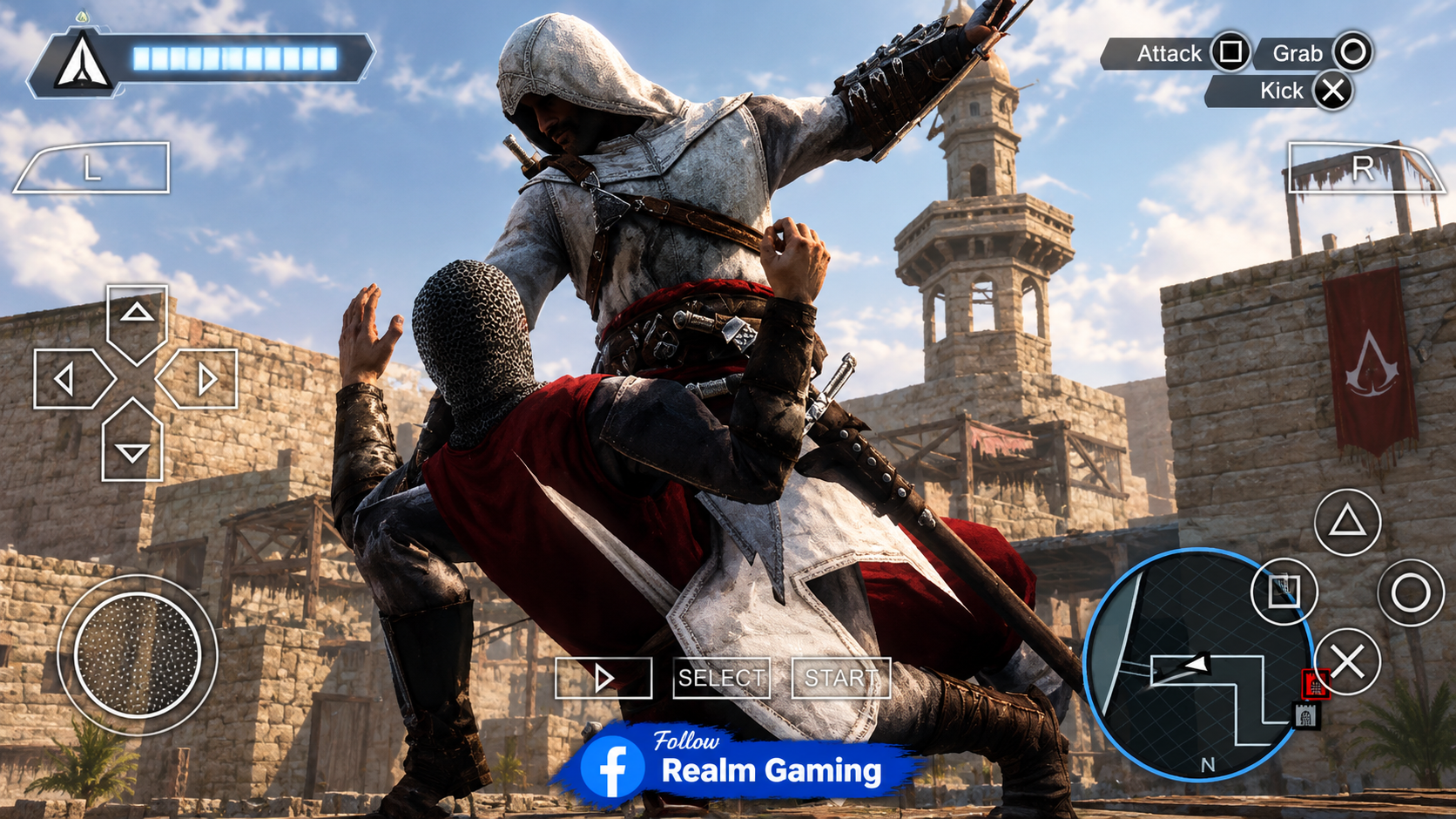
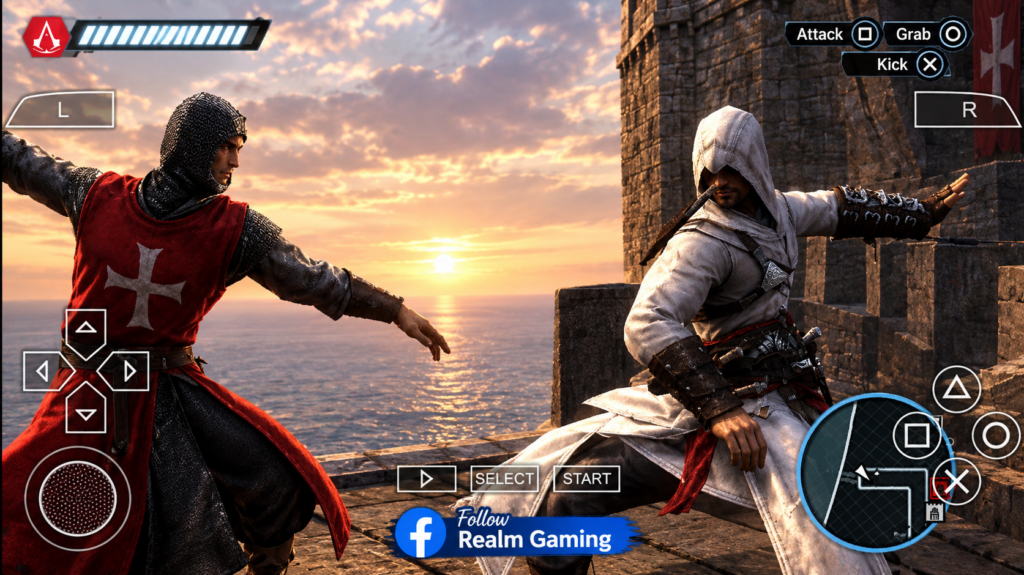
    Assassin’s Creed Bloodlines PPSSPP Highly Compressed is one of the most searched PSP action games for Android, and for good reason. This game follows Altaïr, the legendary white-robed assassin, as he travels to Cyprus to hunt down the last of the Templar Knights. It’s a true Assassin’s Creed experience, packed with sword fighting, stealth missions, and free-running across rooftops, all on your mobile phone.

    The game was originally made for the PlayStation Portable back in 2009, and its full file size can be close to 700MB to 800MB. That’s a lot of space for a lot of phones, especially older or budget devices. This is why the highly compressed version has become so popular. Skilled uploaders shrink the file down to a much smaller size, often somewhere between 100MB and 150MB, while keeping the full game completely playable from start to finish.

    Thanks to the PPSSPP emulator, this classic PSP title can now run smoothly on almost any modern Android phone, even ones with just 1GB to 2GB of RAM. That makes it a great pick for players who want a real console-style adventure game without needing powerful hardware or a lot of storage space.

    Assassin's Creed Bloodlines PPSSPP Highly Compressed (36MB) - Android Download
    Assassin's Creed Bloodlines PPSSPP Highly Compressed (36MB) - Android Download

    Key Features

    • Small File Size: Highly compressed down to roughly 100MB to 150MB, compared to the original 700MB+ file.
    • Classic Assassin’s Creed Combat: Sword fights, hidden blade assassinations, and stealth takedowns.
    • Free-Running Gameplay: Climb buildings, run across rooftops, and blend into crowds like a true assassin.
    • Engaging Story: Set between the events of the first Assassin’s Creed and Assassin’s Creed II.
    • Runs On Low-End Phones: Works smoothly even on devices with just 1GB to 2GB of RAM.
    • Offline Gameplay: No internet connection is needed once the game is installed.
    • Open Exploration: Explore the city of Cyprus and complete side missions beyond the main story.

    What Is Assassin’s Creed Bloodlines PPSSPP Highly Compressed

    Assassin’s Creed Bloodlines PPSSPP Highly Compressed simply means the classic PSP game, Assassin’s Creed: Bloodlines, repackaged into a much smaller file so it’s easier to download and install on an Android phone. The “PPSSPP” part refers to the free emulator app that makes it possible to run this PSP-only game on a device it was never originally designed for.

    Assassin’s Creed: Bloodlines was developed by Griptonite Games together with Ubisoft Montreal, and it was first released in November 2009. The story takes place right after the ending of the very first Assassin’s Creed game, following Altaïr as he chases down the remaining Templars who escaped his previous battles. For long-time fans of the series, this game fills in an important part of Altaïr’s story that isn’t shown anywhere else.

    Because the original PSP file is quite large, many uploaders created “highly compressed” versions to make downloading easier, especially for players with slow internet or limited phone storage. The word “compressed” just means the file size has been squeezed down using special tools, without deleting any levels, cutscenes, or missions from the game.

    This combination of classic console gameplay, a real story-driven adventure, and a tiny file size is exactly why this game keeps showing up in Android gaming searches years after its original release. It gives players a genuine Assassin’s Creed experience without needing expensive hardware.

    Steps To Download And Install Assassin’s Creed Bloodlines PPSSPP On Mobile Android


    1. Check your storage space. Make sure your phone has at least
      300MB to 500MB free, which covers both the compressed file and extra room for
      extraction.

    2. Install the PPSSPP emulator. Go to the Google Play Store,
      search for “PPSSPP,” and install the official free app.

    3. Install a file extractor app. Since the game usually comes as
      a ZIP or RAR file, install ZArchiver from the Play Store so you can unpack it.

    4. Extract the game file. Open ZArchiver, find the downloaded
      file, and extract it to get the ISO or CSO game file.

    5. Move the file into the PSP folder. Place the extracted ISO
      file inside Internal Storage/PSP/GAME/. PPSSPP automatically
      creates this folder the first time you open the app.

    6. Open PPSSPP. Launch the emulator and use its built-in file
      browser to find the game file you just moved.

    7. Tap the game to start it. Selecting the file should load the
      game and take you straight to the title screen.

    8. Adjust the settings for the smoothest gameplay. For the best
      experience, set the Rendering Mode to Non-Buffered, set the Display Resolution
      to 2x PSP or higher, turn Fast Memory on, and keep Frame Skipping between 0 and
      1. These settings are known to give the most stable performance for this
      specific game.

    9. Start playing. Once your settings are adjusted, you’re ready
      to begin Altaïr’s mission in Cyprus.

    A quick tip: if the game feels choppy during busy, crowded areas, try lowering the resolution slightly or enabling Frame Skipping at 1. This usually smooths things out without hurting the visuals too much.

    Download Assassin’s Creed Bloodlines PPSSPP For Android

      ⚡ Download 👈

    Players searching for Assassin’s Creed Bloodlines PPSSPP Highly Compressed are usually looking for a genuine console-style action-adventure game that doesn’t take up a huge chunk of their phone’s storage. This compressed version delivers exactly that, offering the same stealth, combat, and story the PSP original was loved for, just packed into a much smaller download.

    If you enjoy this type of game, you may also want to check out other popular PSP action-adventure titles that run well on PPSSPP, such as God of War: Ghost of Sparta, God of War: Chains of Olympus, and other classic stealth or combat games from the PSP library. These games share a similar mix of storytelling and action that fans of Assassin’s Creed Bloodlines tend to enjoy.

    Whether you’re a longtime Assassin’s Creed fan filling in a missing piece of the story, or a newcomer curious about the series’ PSP history, Assassin’s Creed Bloodlines PPSSPP Highly Compressed is a great way to experience it. Just follow the installation steps above, adjust your settings for the best performance, and you’ll be ready to take on the Templars in no time.

  • eFootball PES 2027 PPSSPP Season Update – Android Offline Download With PS5 Camera & New Transfers

    eFootball PES 2027 PPSSPP Season Update – Android Offline Download With PS5 Camera & New Transfers

    Download eFootball PES 2027 PPSSPP Season Update and play on your mobile phone using the PPSSPP emulator.

    Looking for the eFootball PES 2027 PPSSPP Season Update for Android? This guide covers everything about the latest 2026/27 fan-made update, built to run smoothly on the PPSSPP emulator.

    You will learn about the newest summer transfer window changes, updated club and national team kits, refreshed player faces, and the fan-favorite PS5-style broadcast camera that makes matches feel more realistic than ever. We also break down the key features that make this season update stand out, including full offline gameplay with zero internet needed, updated scoreboards, and no pay-to-win systems.

    Best of all, you get a clear, step-by-step guide showing you exactly how to install the ISO, save data, and texture files correctly on your Android phone or tablet. Whether you have been playing since the older PES versions or are jumping in for the first time, this article gives you everything needed to enjoy the 2026/27 season update without confusion.

    Overview Of eFootball PES 2027 PPSSPP Season Update

    eFootball PES 2027 PPSSPP Season Update is one of the biggest topics in the mobile football gaming community right now. It is a fan-made offline patch built on the classic Pro Evolution Soccer PSP engine, and it has been carefully updated to reflect the real 2026/27 football season. From new player transfers to refreshed kits and a broadcast-style camera, this update brings the game much closer to what fans expect from a modern football title, all while keeping the file size small enough for almost any Android phone.

    What makes this season update special is how often it gets refreshed by the modding community. Unlike official mobile football games that lock content behind online-only servers, this version is updated in separate patches throughout the year, usually tracking the summer and winter transfer windows. That means players who download the latest season update get squads, kits, and rosters that are much closer to real life, instead of playing with outdated 2023 or 2024 rosters.

    Just like the earlier versions of this game, the season update runs completely offline through the PPSSPP emulator. You do not need Wi-Fi, mobile data, or an account login to play. Once it’s installed, you can jump into a quick match, start a long Master League career, or play through the Champions League and World Cup modes anytime you want, even with your phone in airplane mode.

    The update also fixes several small issues that older versions had, such as incorrect team badges, missing player faces, and outdated stadium names. For players who already enjoyed the earlier eFootball PES 2027 releases, this season update is considered a must-have upgrade rather than just an optional extra.

    Key Features

    • Full 2026/27 Season Update: Squads, kits, and rosters reflect the latest football season.
    • Updated Summer Transfer Window: Players are shown on their correct new clubs after recent transfer moves.
    • PS5-Style Camera View: A wide, dynamic broadcast camera angle that makes matches feel like a real TV match.
    • Realistic Player Faces: Many top players now have more accurate faces and improved animations.
    • 100% Offline Play: No internet connection is needed once installation is complete.
    • No Pay-to-Win System: Every team and player is unlocked from the start, with no card packs.
    • Improved Scoreboards And Menus: Cleaner, more modern-looking in-game menus and match overlays.
    • Controller Support: Works smoothly with Bluetooth controllers for a more console-like feel.
    • Champions League And World Cup Modes: Updated tournament modes with refreshed branding and team names.

    What Is eFootball PES 2027 PPSSPP Season Update

    So what exactly does “Season Update” mean in this context? Since eFootball PES 2027 PPSSPP is not an official Konami release, it relies on dedicated modders to keep it feeling current. A season update is simply the newest patch these modders release, built to match the real football calendar. Instead of downloading a brand new game every time football news changes, players just grab the latest season update file to bring their existing game up to speed.

    This is why the game is played using PPSSPP, a free and safe PSP emulator. Once installed, PPSSPP can open and run the updated PES 2027 game files, letting Android users enjoy a full football simulation without owning a PlayStation or a gaming PC. The season update usually comes in a few separate parts, typically the main ISO game file, a save data file, and a texture pack, and all three need to be placed correctly for everything to work.

    Why The Season Update Matters So Much

    Football fans are picky about accuracy. A striker playing for the wrong club, or a kit that hasn’t been updated, can really break the immersion of a football game. That’s exactly the problem season updates solve. By tracking the summer and winter transfer windows, the modding team behind this game makes sure squads stay close to what’s actually happening in real football, keeping the experience fresh season after season.

    The PS5 Camera Explained

    One of the most requested features in recent updates is the PS5-style camera. This camera angle is wider and sits further back than the classic PSP camera, similar to how modern console football games are broadcast on TV. Many players say this single change makes the entire game feel more immersive, since it’s easier to read passing lanes, see full formations, and enjoy a more realistic viewing experience during matches.

    Offline-First Design

    Unlike many newer mobile football games that push players toward online matches and in-app purchases, this season update keeps everything offline and fully unlocked. There’s no waiting for servers, no data usage, and no pressure to spend real money to access better players. This offline-first approach is a big reason the game continues to stay popular, especially among players who don’t always have reliable internet access.

    Steps To Download And Install eFootball PES 2027 PPSSPP Season Update On Mobile Android

    Installing the season update is simple once you understand the process. Since the update usually comes as separate files, it’s important to follow each step in order so nothing gets missed.


    1. Check your phone’s storage. Make sure your Android device has
      at least 2.5GB of free space. This covers the main game file, the save data,
      and the texture pack combined.

    2. Install the PPSSPP emulator. Open the Google Play Store,
      search for “PPSSPP,” and install the official app. PPSSPP Gold is also a safe
      paid option if you’d like to support the emulator developers.

    3. Get a file extractor app. Since the season update files are
      usually compressed as ZIP or RAR files, install an app like ZArchiver so you
      can unpack everything.

    4. Extract every file. Open your file extractor app and unzip the
      main game file, the save data file, and the texture pack separately. Keep them
      organized so you don’t accidentally mix up the folders.

    5. Place the ISO file correctly. Move the extracted game ISO into
      Internal Storage/PSP/GAME/. This is the folder PPSSPP automatically
      creates and checks for playable games.

    6. Add the save data. Copy the save data folder into
      Internal Storage/PSP/SAVEDATA/. This step is important, since the
      season update’s correct rosters and transfers are usually stored here.

    7. Add the texture pack. Place the texture files inside
      Internal Storage/PSP/TEXTURES/, or on newer Android versions,
      inside Android/data/org.ppsspp.ppsspp/files/PSP/TEXTURES/, since
      Android 11 and above often restricts direct access to the visible storage
      folder.

    8. Open PPSSPP and load the game. Launch PPSSPP, use its built-in
      file browser to find the ISO file, and tap it to start loading the updated
      season.

    9. Turn on texture replacement. Inside PPSSPP, go to Settings,
      then Tools, then Developer Tools, and make sure “Replace Textures” is switched
      on so the new kits and faces load correctly.

    10. Adjust performance settings if needed. If the game feels slow,
      lower the rendering resolution to 2x, set Frame Skipping to 1, and switch the
      graphics backend to Vulkan for smoother performance on most Android phones.

    11. Start playing. Once everything loads properly, you can jump
      into a quick match, or begin a full season with the newly updated squads.

    Common Problems And How To Fix Them

    A few small issues come up often with this kind of update, so here’s how to fix the most common ones quickly.


    • Black screen on startup: This usually means the save data file
      wasn’t placed correctly. Double-check that it’s inside the SAVEDATA folder and
      matches the correct game version.

    • Missing kits or player faces: This almost always means the
      texture pack either wasn’t extracted properly, or “Replace Textures” wasn’t
      switched on in PPSSPP settings.

    • Game running slowly: Try lowering your rendering resolution
      and enabling Frame Skipping. Closing other background apps also helps free up
      memory for smoother gameplay.

    Download eFootball PES 2027 PPSSPP Season Update For Android

      ⚡ Download 👈

    Players searching for the eFootball PES 2027 PPSSPP Season Update are usually looking for the most accurate, up-to-date football experience they can get on mobile without needing a constant internet connection. This update delivers exactly that, combining real transfer window changes, refreshed kits, and the popular PS5 camera style into one lightweight offline package.

    Fans of this game are often also interested in similar offline football titles for Android. Some of the most searched related games include earlier versions like eFootball PES 2026 PPSSPP and classic PES PSP builds, along with other offline football games such as Dream League Soccer and FIFA 14 Android Mod. These games share a similar low-storage, offline-friendly style that mobile football fans continue to search for season after season.

    Whether you’ve been following every season update since the earlier PES PPSSPP releases, or you’re just discovering this fan-made football experience for the first time, the 2026/27 season update is one of the most complete versions available right now. It brings together accurate transfers, sharper visuals, and stable offline performance, giving football fans a reliable way to enjoy the beautiful game anytime, without ever needing to worry about their internet connection.

    Before installing, always make sure your files come from a source you trust, scan them for safety, and confirm your phone meets the storage requirements mentioned above. Taking these small precautions will help you enjoy a smooth, error-free setup and get you straight onto the pitch with the newest 2026/27 season update.

  • Tekken 6 PPSSPP Mod Highly Compressed – Android Download With HD Textures

    Tekken 6 PPSSPP Mod Highly Compressed – Android Download With HD Textures

    Download Tekken 6 PPSSPP Mod Highly Compressed and play on your mobile phone using the PPSSPP emulator with upgraded HD textures.

    Overview Of Tekken 6 PPSSPP Mod Highly Compressed

    Tekken 6 PPSSPP Mod is one of the most searched fighting games for Android right now, and it’s easy to understand why. Tekken 6 is already one of the best fighting games ever made for the PSP, but the mod version takes it even further. With a mod installed, the game gets upgraded visuals, sharper character models, and better effects, all while still running smoothly through the free PPSSPP emulator.

    The original Tekken 6 game file is quite large for a PSP title, usually close to 1GB. That’s why many players search for the highly compressed version, which shrinks the file down to around 200MB to 300MB. This makes it much easier to download on slow internet and saves a lot of storage space, without removing any characters, stages, or game modes.

    Once you add a mod pack on top of the base game, you get a completely refreshed look. Some popular mods even bring newer textures inspired by later Tekken games, giving the classic PSP title a more modern feel while keeping the same combat system fans love.

    Key Features

    • Small File Size: Highly compressed down to around 200MB to 300MB, compared to the original 800MB+ file.
    • HD Texture Mods Available: Upgrade character models, stages, and effects with community-made texture packs.
    • Huge Character Roster: Fight using dozens of characters, each with their own unique fighting style.
    • Multiple Game Modes: Enjoy Arcade Battle, Tekken Force, Ghost Battle, and more.
    • Smooth Emulator Performance: Runs well on most Android phones using PPSSPP.
    • Offline Gameplay: No internet connection is needed once everything is installed.
    • Customizable Visuals: Turn mods on or off anytime by simply adding or removing the texture folder.

    What Is Tekken 6 PPSSPP Mod

    Tekken 6 PPSSPP Mod refers to the base Tekken 6 PSP game combined with an extra “texture pack” made by fans. This texture pack does not change how the game plays, it only replaces the original graphics with sharper, higher quality versions. Think of it like giving the game a fresh coat of paint without touching the engine underneath.

    PPSSPP is the emulator that makes all of this possible. Since Tekken 6 was only officially released for PSP, PlayStation 3, and Xbox 360, Android players rely on PPSSPP to load the PSP version on their phones. PPSSPP also has a built-in feature called “texture replacement,” which is exactly what allows mod packs to work.

    Mod makers usually build these texture packs around a specific “Game ID,” a code that identifies exactly which version of Tekken 6 the mod was made for. This is an important detail, because if the mod folder isn’t named correctly, PPSSPP won’t be able to find and apply the new textures. We’ll explain exactly how this works in the installation section below.

    Many players search for this mod because it lets them enjoy improved graphics without needing a powerful gaming phone. Since only the textures are replaced, the mod stays lightweight and still runs smoothly even on mid-range Android devices.

    Tekken 6 PPSSPP Mod Highly Compressed - Android Download With HD Textures

    Steps To Download And Install Tekken 6 PPSSPP Mod On Mobile Android

    Installing the base game is simple, but adding the mod pack correctly is the part most players get confused about. Follow these steps closely and you won’t have any problems.

    Part 1: Installing The Base Game


    1. Check your storage space. Make sure your phone has at least 1GB
      to 1.5GB free before starting.

    2. Install the PPSSPP emulator. Go to the Google Play Store,
      search for “PPSSPP,” and install the official app.

    3. Install a file extractor. Download ZArchiver from the Play
      Store if you don’t already have it, since the game usually comes as a ZIP or 7z
      file.

    4. Extract the Tekken 6 ISO file. Open ZArchiver, find the
      downloaded file, and extract it to get the ISO or CSO game file.

    5. Move the ISO file into the PSP folder. Place the extracted ISO
      file inside Internal Storage/PSP/GAME/. This is the folder PPSSPP
      automatically creates the first time you open it, and it’s where the emulator
      looks for game files.

    6. Open PPSSPP and confirm the game loads. Launch the emulator,
      use its file browser to find the ISO inside the PSP folder, and tap it to make
      sure the base game runs properly before adding any mod.

    Part 2: Installing The Mod Pack (Texture Pack)

    This is the part that trips up most beginners, so let’s go through it slowly. A Tekken 6 mod pack is not a separate game, it’s a set of image files that PPSSPP swaps in to replace the original textures. To work correctly, these files need to go into a very specific folder that matches your Tekken 6 game’s ID.


    1. Find your game’s ID first. Open Tekken 6 inside PPSSPP, then
      tap the “i” (info) icon on the game in your games list. You’ll see a code like
      ULUS10466 or similar. This is your Game ID, and the mod folder must
      be named exactly this way for the mod to work.

    2. Extract the mod pack. Use ZArchiver to unzip the mod or texture
      pack you downloaded. Inside, you should find a folder or a set of files, and
      sometimes a textures.ini file. This file tells PPSSPP which
      textures belong to which part of the game.
    3. Find the correct TEXTURES folder on your phone. This depends on
      your Android version, so check both locations below:

      • On many phones, go to Internal Storage/PSP/TEXTURES/. If a
        “TEXTURES” folder doesn’t exist yet inside your PSP folder, simply create
        one yourself.

      • On newer Android versions (Android 11 and above), Android often blocks apps
        from writing directly to the visible Internal Storage folder. In this case,
        the correct path becomes
        Android/data/org.ppsspp.ppsspp/files/PSP/TEXTURES/. This hidden
        folder belongs specifically to the PPSSPP app, so this is where your mod
        needs to go instead.

    4. Create a folder using your Game ID. Inside whichever TEXTURES
      folder applies to your phone, create a new folder and name it exactly after your
      Game ID, for example ULUS10466. Spelling and capitalization matter,
      so double-check it matches perfectly.

    5. Paste the mod files inside that folder. Copy everything from
      the extracted mod pack, including the textures.ini file, directly
      into the Game ID folder you just created.

    6. Turn on texture replacement in PPSSPP settings. Open PPSSPP,
      go to Settings, then Tools, then Developer Tools, and make sure “Replace
      Textures” is switched on. Without this setting enabled, PPSSPP will ignore the
      mod folder completely.

    7. Restart the game. Close Tekken 6 if it’s already open, then
      launch it again from PPSSPP. If everything was placed correctly, you’ll notice
      the new HD textures the moment the game loads, and a small “Texture replacement
      activated” message may appear on screen.

    A quick tip: if the mod doesn’t seem to be working, the most common mistake is either placing the files in the wrong TEXTURES location for your Android version, or naming the Game ID folder incorrectly. Double-checking these two things solves almost every mod problem.

    Download Tekken 6 PPSSPP Mod For Android

      ⚡ Download 👈

    Players searching for Tekken 6 PPSSPP Mod are usually fans of classic fighting games who want a fresh, upgraded look without losing the gameplay they already know and love. Combining the highly compressed base game with a texture mod gives them exactly that, better visuals, small file size, and smooth performance on almost any Android phone.

    If you enjoy this kind of game, you might also want to check out other popular PSP fighting titles that work great with PPSSPP, such as Tekken 3, Tekken: Dark Resurrection, and God of War: Ghost of Sparta for a change of pace. Fans of Tekken 6 also often look into newer texture packs inspired by Tekken 7 and Tekken 8, which use the same mod installation method shown above.

    Whether you’re replaying a childhood favorite or trying Tekken 6 for the very first time, adding a mod pack is one of the easiest ways to make the game feel new again. Just follow the folder steps carefully, and you’ll have your upgraded Tekken 6 running smoothly in no time.

  • God of War: Ghost of Sparta PPSSPP Highly Compressed (200MB) – Android Download

    God of War: Ghost of Sparta PPSSPP Highly Compressed (200MB) – Android Download

    Download God of War: Ghost of Sparta PPSSPP Highly Compressed and play on your mobile phone using the PPSSPP emulator.

    Overview Of God Of War: Ghost Of Sparta PPSSPP Highly Compressed

    God of War: Ghost of Sparta PPSSPP Highly Compressed is one of the most searched-for PSP games on the internet, and it’s easy to see why. This action game follows Kratos, a powerful Spartan warrior, as he battles gods and monsters from Greek mythology. It was originally made for the PlayStation Portable back in 2010, but thanks to the PPSSPP emulator, you can now play the full game on your Android phone.

    The original game file is quite large, usually over 1GB. That can be a problem if your phone doesn’t have a lot of free storage or if your internet is slow. This is where the “highly compressed” version comes in. It shrinks the file size down to around 200MB, sometimes even smaller, without removing any levels, cutscenes, or features from the game. You still get the full story and all the gameplay, just in a much smaller package.

    This makes it one of the best choices for players who love classic action games but don’t want to fill up their entire phone storage just to enjoy one title. It is loved by both old PSP fans who want to replay it and new players who are discovering Kratos’s story for the very first time.

    Key Features

    • Small File Size: Highly compressed down to around 200MB, compared to the original 1GB+ file.
    • Full Story Included: No levels or cutscenes are removed, even though the file is smaller.
    • Intense Boss Battles: Fight legendary creatures like Thanatos, Scylla, and Erinyes.
    • Deep Greek Mythology Story: Learn more about Kratos’s past before the main God of War trilogy.
    • Smooth Emulator Performance: Runs well on most Android phones using the PPSSPP emulator.
    • Offline Gameplay: No internet connection is needed once the game is installed.
    • High-Definition Visuals: Sharper graphics and effects when played through PPSSPP compared to the original PSP hardware.

    Screenshot

    God of War: Ghost of Sparta PPSSPP Highly Compressed (200MB) - Android Download

    What Is God Of War: Ghost Of Sparta PPSSPP Highly Compressed

    So, what exactly does “PPSSPP Highly Compressed” mean? PPSSPP is a free app that lets you play PSP games on devices they were never originally made for, like Android phones, tablets, and computers. Since Ghost of Sparta was a PSP-only game, PPSSPP is the tool that makes it possible to play it on your mobile phone today.

    The word “compressed” simply means the game’s file has been squeezed down to a much smaller size. Normally, this game takes up more than 1GB of space. Skilled users compress the file using special tools, which reduces the size to around 200MB while keeping the game exactly the same. Nothing important is deleted, it’s just packed more efficiently.

    This combination is popular because it solves two common problems at once: not everyone has a PSP anymore, and not everyone has enough phone storage for large game files. PPSSPP fixes the first problem, and the highly compressed file fixes the second one.

    Players continue to search for this game years after it was released because it is still considered one of the best action games ever made for a handheld console. Its story, combat, and graphics were far ahead of their time, which is why it remains a favorite among mobile gamers who love emulation.

    System Requirements To Run God Of War: Ghost Of Sparta PPSSPP Smoothly

    Before you install the game, it helps to check that your phone can handle it. God of War games are known for being a little heavier on performance compared to other PSP titles, so a stable device will give you the smoothest experience.

    Minimum Requirements

    • Android version: 5.0 or higher
    • RAM: At least 1GB
    • Free storage space: At least 1.5GB (for the game files and emulator)
    • Processor: Dual-core or higher
    • Graphics backend: OpenGL

    Recommended Requirements For Best Performance

    • Android version: 8.0 or higher
    • RAM: 3GB or more
    • Free storage space: 2GB or more
    • Processor: Quad-core or higher
    • Graphics backend: Vulkan (gives smoother frame rates on newer phones)

    If your phone matches the recommended list, you should be able to enjoy the game at a steady 60 frames per second with very little slowdown, even during big boss fights.

    Steps To Download And Install God Of War: Ghost Of Sparta PPSSPP On Mobile Android


    1. Check your storage space. Make sure your phone has at least
      1.5GB to 2GB free before you begin.

    2. Install the PPSSPP emulator. Go to the Google Play Store,
      search for “PPSSPP,” and install the official app.

    3. Get a file extractor app. Since the game usually comes as a
      ZIP or RAR file, install an app like ZArchiver so you can unpack it later.

    4. Extract the game file. Open ZArchiver, find the downloaded
      file, and extract it. This will give you the ISO or CSO game file.

    5. Move the file to the right folder. Place the extracted game
      file inside the “PSP” folder that PPSSPP creates automatically on your internal
      storage, usually inside a “GAME” subfolder.

    6. Open PPSSPP. Launch the emulator and use its built-in file
      browser to find the game file you just moved.

    7. Tap the game to start it. Once you select the file, the game
      should load and bring you straight to the title screen.

    8. Adjust the settings for smooth gameplay. If the game feels
      slow, go into Settings, then Graphics, and switch the backend from OpenGL to
      Vulkan. You can also turn on “Force Max FPS” and enable Multithreading, since
      both settings are known to fix slowdown issues specifically in God of War
      games.

    9. Start playing. Once everything runs smoothly, you’re ready to
      begin Kratos’s journey.

    A quick tip: avoid setting the rendering resolution too high. Many players make the mistake of pushing it to 5x or higher, which can actually slow the game down instead of making it look better. A resolution of 2x or 3x is usually the sweet spot for smooth performance on most Android phones.

    Download God Of War: Ghost Of Sparta PPSSPP For Android

      ⚡ Download 👈

    Players searching for God of War: Ghost of Sparta PPSSPP Highly Compressed are usually looking for a way to enjoy a console-quality action game without using up all their phone’s storage. This compressed version gives them exactly that, combining a small download size with the same legendary gameplay fans have loved for years.

    If you enjoy this type of game, you may also want to check out other popular PSP action titles that work well with PPSSPP, such as God of War: Chains of Olympus, the original God of War Collection, and other hack-and-slash adventures like Tekken 6 or Metal Gear Solid: Peace Walker. These games share a similar style of intense combat and strong storytelling, making them great picks for fans who love the God of War series.

    Whether you’re replaying a childhood favorite or experiencing Kratos’s story for the first time, God of War: Ghost of Sparta PPSSPP Highly Compressed remains one of the best action-adventure experiences you can carry around in your pocket. Just make sure your device meets the requirements above, follow the installation steps carefully, and you’ll be ready to dive into one of the greatest handheld games ever made.

  • eFootball PES 2027 PPSSPP Android Offline Download – New Transfers, Kits & Season Update

    eFootball PES 2027 PPSSPP Android Offline Download – New Transfers, Kits & Season Update

    Looking for the eFootball PES 2027 PPSSPP Android offline download? We cover everything you need to know about the latest community-made update, built to run smoothly on the PPSSPP emulator.

    You will learn about the new transfers, updated kits, refreshed player faces, and the popular PS5 camera view that makes matches feel like a real broadcast. We also explain the key features that set this version apart from other mobile football games, including full offline play with zero internet needed and no pay-to-win mechanics.

    Best of all, you get a simple, step-by-step guide showing you exactly how to install the game on your Android phone or tablet without any confusion. Whether you are a long-time PES fan or new to mobile football gaming, this article gives you everything to get started with the 2026/27 season update quickly and easily.

    Overview Of eFootball PES 2027 PPSSPP Android Offline Download

    eFootball PES 2027 PPSSPP Android Offline Download is one of the most talked-about football games for mobile right now. It is a special fan-made update built on the classic Pro Evolution Soccer engine, but it has been upgraded to feel like a brand new game. It brings the 2026/27 football season straight to your phone, with fresh kits, updated players, and smoother gameplay, all running through the free PPSSPP emulator app.

    The best part is that this game works completely offline. That means you do not need Wi-Fi or mobile data to play. You can enjoy full matches, tournaments, and even a long Master League career anywhere, whether you are on a bus, on a plane, or just relaxing at home without internet.

    Unlike many football apps on the Play Store, this version does not force you into online-only matches or annoying card packs that make you spend real money. You get every team and every player from the very start, which is why so many football fans still choose this classic-style game over newer mobile titles.

    Key Features

    • 100% Offline Play: No internet connection is needed once the game is installed.
    • Updated Kits and Transfers: Player kits and squads are updated to match the real 2026/27 season transfers.
    • PS5-Style Camera View: A wide, dynamic camera angle that looks like a real TV broadcast, making it easier to see passes and build-up play.
    • Improved Player Faces: Many top players have more realistic faces and animations.
    • No Pay-to-Win System: There are no card packs or microtransactions. Every player is unlocked from the start.
    • Controller Support: The game works well with Bluetooth controllers like Xbox and PlayStation pads for a more console-like feel.
    • Classic PES Gameplay: Realistic ball physics and tactical depth that many football fans say feels more rewarding than newer arcade-style mobile games.
    • Champions League and World Cup Modes: Play through major tournaments with updated branding and team names.

    What Is eFootball PES 2027 PPSSPP Android Offline Download

    So what exactly is this game? eFootball PES 2027 PPSSPP Android Offline Download is not an official Konami release. Instead, it is a community-created patch built on top of the older PES PSP game files. Skilled modders take the original game and update it every season with new rosters, better graphics, and extra features that fans have been asking for.

    This is why the game is played using PPSSPP, which is a free and safe emulator app that lets your Android phone run PSP games smoothly. Once the emulator is installed, it can open and run the updated PES 2027 game file, giving you a full football experience without needing a PlayStation or expensive gaming PC.

    eFootball PES 2027 PPSSPP Android Offline Download – New Transfers, Kits & Season Update

    Many football gaming fans prefer this style of game because it keeps the classic, skill-based PES gameplay alive. Instead of swiping your finger to score easy goals like in some arcade football apps, this game rewards players who understand passing, positioning, and timing, just like a real football manager or player would need to.

    The 2027 update specifically focuses on bringing the game closer to the current football season. This includes new transfer window changes, meaning your favorite players will be shown on their correct new teams, along with fresh team kits and updated stadium details that match the real-life competitions happening this year.

    Steps To Download And Install eFootball PES 2027 PPSSPP Android Offline Download On Mobile Android

    Installing this game is easier than it sounds. Just follow these simple steps carefully, and you will be ready to play in no time.


    1. Check your phone’s storage. Make sure your Android device has
      at least 2GB of free space. This is enough room for the game file and the extra
      texture pack that improves the graphics.

    2. Install the PPSSPP emulator. Open the Google Play Store, search
      for “PPSSPP,” and install the official app. This is a free and trusted emulator
      used by millions of players worldwide.

    3. Get the game files. You will need the main game file along with
      a save data folder and a texture pack. These usually come as compressed ZIP or
      RAR files, so make sure your phone has a file extractor app, like ZArchiver,
      installed.

    4. Extract the files. Open your file extractor app and unzip the
      downloaded folder. Keep all the extracted files together in one clear folder so
      you don’t lose track of anything.

    5. Place the save data correctly. Save data files usually need to
      go into the PSP folder created automatically by the PPSSPP app. This step
      ensures your teams and rosters load with the correct 2027 season updates.

    6. Open PPSSPP and load the game. Launch the PPSSPP app, then use
      the built-in file browser inside the app to find and select the main game file.
      Tap on it to start loading the game.

    7. Adjust your settings for smooth gameplay. If the game feels
      slow or laggy, go into the PPSSPP settings and change the “Frame Skipping”
      option to 1 or 2. You can also turn off extra graphic effects to help older
      phones run the game more smoothly.

    8. Start playing. Once the game loads, you can use the on-screen
      controls, or connect a Bluetooth controller for a more comfortable experience.
      Jump into a quick match, or start a full Master League career.

    If you ever see a black screen or missing textures, this usually means the texture pack was not placed in the correct folder. Simply double-check your file locations and try loading the game again.

    Download eFootball PES 2027 PPSSPP For Android

      ⚡ Download 👈

    Fans searching for eFootball PES 2027 PPSSPP Android offline download are usually looking for a lightweight but detailed football experience that they can enjoy without needing constant internet access. This version has quickly become popular because it combines the classic PES gameplay feel with modern touches like updated transfers, sharper kits, and the fan-favorite PS5 camera angle.

    People who enjoy this kind of game are usually also interested in similar offline football titles. Some of the most searched related games include older PES PPSSPP versions like PES 2021 and PES 2023 PPSSPP, as well as other Android football titles such as Dream League Soccer and FIFA 14 Android Mod. These games share a similar offline, low-storage style that mobile football fans love, especially players with older phones or limited internet access.

    Whether you are a long-time PES player who misses the classic gameplay style, or a newer mobile gamer curious about offline football games, eFootball PES 2027 PPSSPP is worth trying. It brings together everything fans want: real season updates, smooth emulator performance, and a football experience you can enjoy anytime, anywhere, without ever needing to worry about your internet connection.

    Make sure to always download files from trusted sources, scan them for safety before installing, and double-check that your device meets the storage requirements before you begin. Following the steps above will help you enjoy a smooth, error-free installation and get you straight onto the pitch in no time.

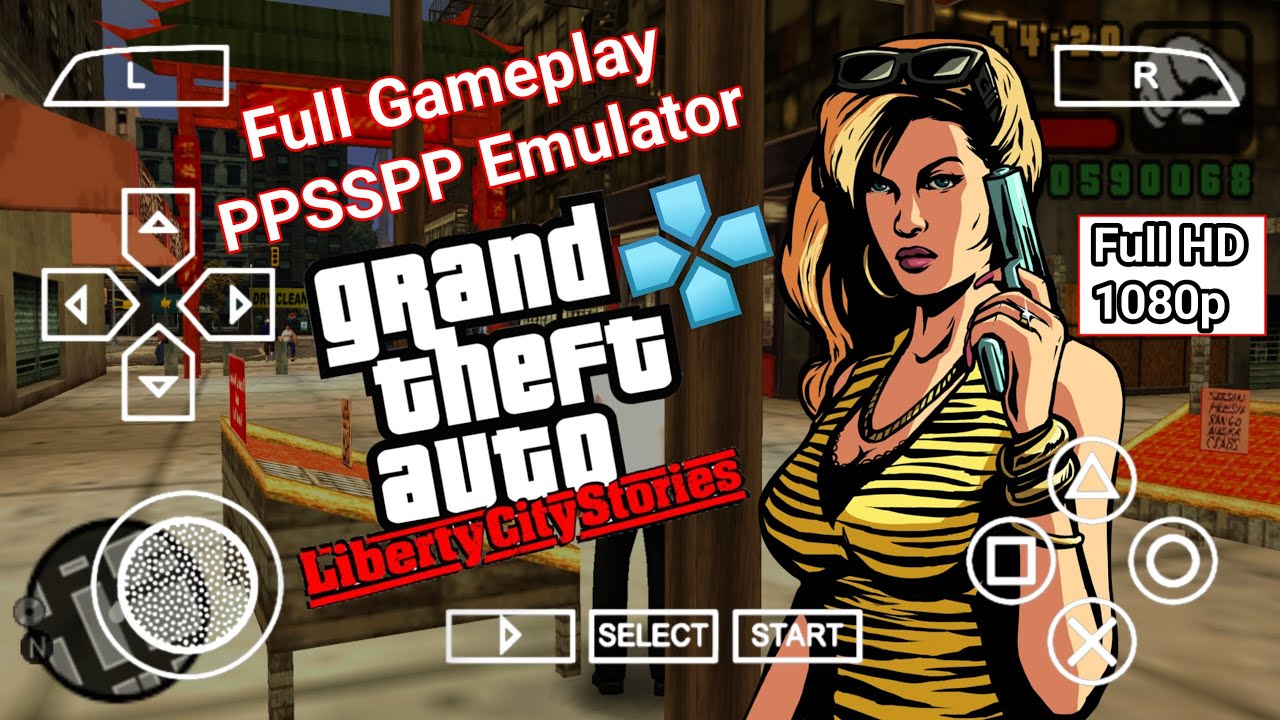
  • GTA Liberty City Stories PSP: Overview, System Specs and performance

    GTA Liberty City Stories PSP: Overview, System Specs and performance

    GTA Liberty City Stories PSP holds a special place in handheld gaming history as the very first Grand Theft Auto game built specifically for a portable system, and more than that, it was the launch title that convinced a lot of people the PSP could actually handle a proper open-world game. Rockstar squeezed an entire living city into a handheld back in 2005, and running it today through an emulator turns that ambitious original release into something that looks and plays sharper than most players ever got to experience on the original hardware.

    Game Overview and Story

    GTA Liberty City Stories PSP puts players in the shoes of Toni Cipriani, a made man in the Leone crime family who returns to Liberty City after years spent in exile for killing a fellow mobster as a favor to his boss. The story is set in 1998, three years before the events of Grand Theft Auto III, and it follows Toni as he claws his way back into the good graces of Salvatore Leone while the city’s other criminal factions, the Yakuza, the Triads, the Sindacco family, and more, all jockey for territory and influence around him. It’s a prequel in every sense, filling in backstory for characters and locations that longtime GTA III players would already recognize, while standing entirely on its own for newcomers.

    Structurally, GTA Liberty City Stories PSP follows the open-world formula the series had already established, letting players roam freely across Liberty City, take on story missions from various crime bosses, cause general chaos, and pursue a long list of side content whenever the mood strikes. Rockstar built this specifically around the PSP’s strengths and limits, and the game includes multiplayer support over local Wi-Fi, letting players compete in deathmatch, capture the flag, and base-defense modes, a feature that never made it into the PS2 port that followed a year later. The PSP version also let players rip their own custom soundtrack from music stored on the memory stick, a genuinely ahead-of-its-time feature for 2005 handheld gaming.

    What makes GTA Liberty City Stories PSP stand out even now is just how complete the world feels for a portable title from that era. The city is packed with side missions, vehicle types, weapons, and the kind of black-comedy tone the series built its reputation on, and Rockstar didn’t strip much out to make it fit on a handheld. Running it through PPSSPP today, with sharper resolution and steadier frame rates than the original PSP hardware could reliably produce, is genuinely one of the better ways to experience this era of Grand Theft Auto.

    CategoryDetails
    DeveloperRockstar Leeds and Rockstar North
    PublisherRockstar Games
    GenreOpen-world action-adventure
    Original PSP releaseOctober 25, 2005 (NA)
    RAM needed for emulation2GB minimum, 3GB or more recommended
    Android OS versionAndroid 8.0 or newer recommended
    Storage spaceRoughly 700MB to 1GB depending on the game file used

    System Needs and Compatible Phones

    GTA Liberty City Stories PSP is more demanding to emulate than most PSP titles from the same generation, since it’s rendering a full open city with traffic, pedestrians, and physics rather than a stage-based or linear layout. On a budget phone with a MediaTek Helio G-series chip and 3GB of RAM, the game runs, but busy downtown areas with heavy traffic can cause noticeable frame dips until settings are tuned properly.

    Mid-range phones handle GTA Liberty City Stories PSP comfortably. A Snapdragon 680 or 695, or a Dimensity 700-series chip, with 6GB of RAM, keeps the open world moving at a stable pace even in the busiest parts of the city, and there’s enough headroom to bump the resolution above the PSP’s native output without introducing new slowdown. This is the tier where most players get a genuinely smooth experience without needing to compromise on visual settings.

    Flagship phones running a Snapdragon 8-series or Apple A-series chip handle the full open world without any real limitation, holding a locked frame rate through dense traffic, gunfights, and vehicle chases while pushing the resolution and texture quality well past what the PSP hardware ever displayed. This is genuinely one of the better-looking ways to experience Liberty City from this era of the series.

    Because GTA Liberty City Stories PSP simulates an entire living city rather than a series of contained levels, CPU performance matters more here than in most other PPSSPP titles, and single-core speed remains the deciding factor over total core count. A phone with fewer, faster cores will consistently outperform one with more, weaker cores when handling the traffic and pedestrian simulation this game runs constantly in the background.

    Gameplay Mechanics and Controls

    The default control scheme in GTA Liberty City Stories PSP mirrors the original layout closely: the left stick or D-pad handles movement, the face buttons cover actions like entering vehicles and interacting with the world, and the shoulder buttons manage targeting and drive-by shooting while behind the wheel. A Bluetooth controller makes precision driving and combat noticeably easier than a touchscreen, though the touch layout remains fully usable once camera sensitivity and button size get adjusted to a comfortable setup.

    Missions in GTA Liberty City Stories PSP are handed out by various crime figures scattered across the city, and progressing through Toni’s story naturally opens up new districts, vehicles, and side content as trust with each faction grows. Outside of story missions, the game is packed with optional activities: taxi driving, vigilante missions, paramedic runs, and a long list of hidden packages and rampages scattered across Liberty City, all of which reward exploration well beyond the main plotline.

    A few tips make the early hours smoother. Save frequently at safehouses, since GTA Liberty City Stories PSP doesn’t checkpoint mid-mission in most cases, and a failed late-stage objective can send players back to the very start of a mission. Stock up on weapons and armor before starting story missions with a high difficulty reputation, since running out of ammo mid-shootout is one of the more common causes of failed attempts. And take advantage of the multiplayer modes if a Wi-Fi connection is available through the emulator setup, since capture the flag and base defense modes offer a different pace from the single-player campaign entirely.

    Technical Performance and Lag Fixes

    Because GTA Liberty City Stories PSP renders a full open city rather than contained stages, most performance issues trace back to a handful of PPSSPP settings that weren’t tuned for an open-world workload.

    Stuttering in busy downtown areas or during vehicle chases: Lower the rendering resolution one notch below the phone’s native screen resolution, since open-world traffic and pedestrian density make resolution the single biggest factor in frame drops for this particular game. Switching to “Buffered Rendering” instead of “Skip Buffer Effects” also helps smooth out sudden dips when the city gets crowded.

    Audio crackling or falling out of sync: Raise the audio buffer size or switch off “Low Latency” audio mode, which resolves crackling on most budget and mid-range devices, particularly during radio station playback while driving. If cutscene dialogue drifts out of sync, a low frame-skip value of 1 or 2 typically realigns it.

    Overheating during longer sessions: Open-world simulation keeps the CPU working constantly even when nothing dramatic is happening on screen, so capping the frame rate at 30 instead of 60 meaningfully reduces heat buildup during extended play. Closing background apps before launching GTA Liberty City Stories PSP frees up thermal headroom the chipset needs to keep the city simulation steady.

    Black screen or crash when entering new districts: Switching the graphics backend between Vulkan, OpenGL, and Direct3D in PPSSPP’s settings resolves this on most Android chipsets, since district-loading transitions can behave differently depending on which backend a phone handles best. Clearing the game’s cache through the emulator’s own settings menu, rather than reinstalling anything, fixes the majority of these reports without losing saved progress.

    General slowdown across the city: Confirm the CPU clock setting is left on “Automatic” and that the JIT compiler is enabled rather than the older interpreter mode, since interpreter mode is dramatically slower on an open-world title like this one. Between correct JIT settings and a sensible resolution choice, most performance complaints around GTA Liberty City Stories PSP clear up in a single settings pass.

    Conclusion

    GTA Liberty City Stories PSP earned its reputation as a landmark handheld release for good reason, packing a genuinely full-sized Grand Theft Auto game, complete with local multiplayer and custom soundtrack support, onto hardware that had never handled anything like it before. Toni Cipriani’s story holds up as one of the stronger prequels in the series, and the sheer amount of side content packed into Liberty City means there’s plenty to do well beyond the main missions. On the hardware side, this is a more demanding game to emulate than most PSP titles from its era simply because of how much the open world has going on at once, but even budget phones can run it at a stable pace once the resolution and audio settings are configured properly.

    For anyone running into stutter, audio drift, overheating, or black screens, the fixes above cover the overwhelming majority of reported issues, and a single pass through the graphics, audio, and JIT settings resolves most of them together. With a properly configured emulator, GTA Liberty City Stories PSP plays as one of the most impressive open-world experiences the original PSP library ever offered, now running smoother and sharper than the hardware it launched on ever allowed.

    ⚡ Get Game

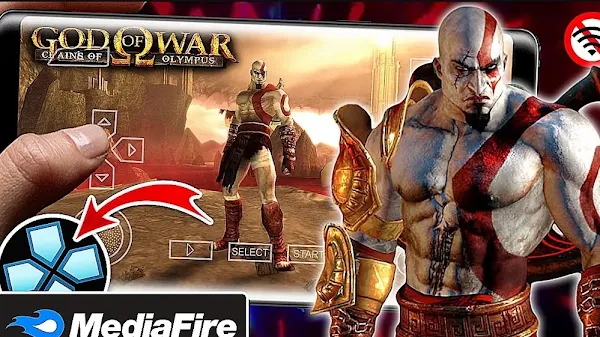
  • God of War Chains of Olympus PPSSPP, HD & Offline

    God of War Chains of Olympus PPSSPP, HD & Offline

    God Of War Chains Of Olympus PPSSPP, HD & Offline is one of the best action adventure games you can play on Android or PC using the PPSSPP emulator.

    If you enjoy fast-paced combat, challenging enemies, and an exciting story based on Greek mythology, this game is an excellent choice. Even though it was originally released for the PlayStation Portable (PSP), it still delivers an amazing gaming experience today. Thanks to the PPSSPP emulator, you can enjoy improved HD graphics, smoother gameplay, and better controls on modern Android devices.

    God Of War Chains Of Olympus PPSSPP follows the legendary Spartan warrior, Kratos, on a dangerous mission to save the world from powerful gods, monsters, and mythical creatures. Along the way, you will solve puzzles, defeat massive bosses, unlock new abilities, and explore beautiful ancient locations filled with secrets.

    Unlike many modern games that require a constant internet connection, this version works completely offline after installation. Once the game files are copied to the correct folders, you can enjoy the full adventure anytime without using mobile data or Wi-Fi.

    Table of Contents

    1. What is God Of War Chains Of Olympus PPSSPP?
    2. Why This Game Still Stands Out
    3. Main Features
    4. HD Graphics on PPSSPP
    5. Highly Compressed Version
    6. Game Information
    7. Real Gameplay Experience
    8. Helpful Tips for Beginners
    9. Pros and Cons
    10. Download Links
    11. How to Download and Install
    12. Common Errors and Fixes
    13. Best PPSSPP Settings
    14. Frequently Asked Questions
    15. Conclusion

    What is God Of War Chains Of Olympus PPSSPP?

    God Of War Chains Of Olympus PPSSPP is the PSP version of the famous God of War series that can be played on Android and PC using the PPSSPP emulator. The game serves as a prequel to the original God of War, telling the story of Kratos before he became the Ghost of Sparta known throughout Greece.

    The game combines intense combat, puzzle-solving, platforming, and cinematic storytelling into one unforgettable adventure. You will fight legendary creatures such as Cyclopes, Gorgons, Harpies, and many other powerful enemies while exploring temples, caves, and ancient cities.

    Although the game was designed for the PSP, it looks much better when played through PPSSPP. Higher rendering resolutions improve texture quality, character models appear sharper, and gameplay becomes smoother on modern smartphones.

    Game Information
    • Game Name: God Of War Chains Of Olympus
    • Platform: PlayStation Portable (PSP)
    • Emulator: PPSSPP
    • Category: Action / Adventure
    • Game Mode: Offline
    • Original ISO Size: Around 1.2 GB
    • Highly Compressed Size: Around 500 MB to 700 MB
    • Extracted Size: Around 1.3 GB
    • Required Free Storage: At least 3 GB
    • Minimum RAM: 2 GB
    • Recommended RAM: 4 GB or higher
    • Android Version: Android 7.0 and above
    • Internet Required: Only for downloading the files
    • Save Data: Optional
    • Textures: Optional HD Texture Pack
    God of War Chains of Olympus PPSSPP, HD & Offline

    Why This Game Still Stands Out

    Many action games have been released over the years, but God Of War Chains Of Olympus PPSSPP remains one of the strongest titles on the PSP. Its combination of fast combat, impressive graphics, and emotional storytelling still feels enjoyable today.

    Kratos has access to the famous Blades of Chaos, allowing players to perform powerful combos, dodge attacks, and defeat groups of enemies with satisfying combat mechanics. As you progress, you unlock magical abilities that make battles even more exciting.

    The game also features challenging puzzles that require careful thinking instead of simply defeating enemies. This creates a good balance between action and exploration.

    Boss battles are another highlight. Every major enemy feels unique and requires different strategies to defeat. These epic fights remain some of the most memorable moments in the game.

    Main Features of God Of War Chains Of Olympus PPSSPP

    • Complete offline gameplay.
    • High-quality HD graphics through PPSSPP.
    • Smooth 60 FPS on supported devices.
    • Fast-paced combat system.
    • Powerful boss battles.
    • Interesting story based on Greek mythology.
    • Beautiful ancient environments.
    • Upgradeable weapons and magic abilities.
    • Puzzle-solving gameplay.
    • Hidden collectibles and bonus items.
    • Excellent voice acting.
    • Cinematic cutscenes.
    • Controller support.
    • Compatible with Android and Windows PPSSPP.

    HD Graphics on PPSSPP

    One of the biggest advantages of playing God Of War Chains Of Olympus PPSSPP is the ability to increase the game’s internal resolution. Instead of the original PSP graphics, the game becomes much sharper and cleaner on modern devices.

    Kratos’ armor, enemy designs, weapons, and environments all look more detailed when using 2x or 3x rendering resolution. Lighting effects and textures also appear much clearer, making the game feel closer to a console experience.

    If your phone has a powerful processor and at least 4GB RAM, you can comfortably enjoy higher graphics settings while maintaining smooth gameplay. Mid-range devices can still achieve good performance by using 2x rendering resolution.

    Highly Compressed Version

    The highly compressed version is ideal for players with limited storage space or slower internet connections. Instead of downloading the full ISO, you download a smaller archive that expands back to the complete game after extraction.

    Although the compressed package is much smaller, the gameplay remains exactly the same once the files are extracted correctly. You still get the full story, all levels, boss fights, and game content without losing quality.

    Before extracting the archive, make sure your phone has enough available storage. The downloaded file may be around 600 MB, but the extracted game requires much more space to run properly.

    Real Gameplay Experience

    After playing God Of War Chains Of Olympus PPSSPP again on my Android phone, I quickly remembered why it is considered one of the greatest PSP games ever made. The combat feels fast and satisfying, the story keeps you interested, and every level introduces something new instead of repeating the same gameplay.

    When I tested the game on a phone with 2GB RAM, it ran surprisingly well using the recommended PPSSPP settings. At 2x rendering resolution, gameplay stayed smooth in most areas, although a few scenes with many enemies caused small frame drops. On a device with 4GB RAM, the experience was much smoother, even during large boss fights.

    The controls are responsive and easy to learn. Kratos attacks quickly, dodges smoothly, and performs powerful combo attacks without delay. After playing for a few minutes, the combat becomes very enjoyable because every successful combo feels rewarding.

    The graphics still look impressive today. Ancient temples, underground caves, burning cities, and snowy environments all have detailed textures and beautiful lighting. When HD rendering is enabled in PPSSPP, the game looks far better than it did on the original PSP.

    Boss battles are easily one of the best parts of the game. Every boss is huge, powerful, and requires a different strategy to defeat. Winning these battles feels satisfying because they test both your timing and your combat skills.

    The sound design is also excellent. The background music creates tension during battles, while the voice acting makes the story feel cinematic. Together, they help create an unforgettable adventure from beginning to end.

    Battery usage is reasonable. During one hour of gameplay on medium brightness using 2x resolution, my phone used around 18% battery. Reducing the rendering resolution can help extend battery life even further.

    Tip: Connecting a Bluetooth controller makes combat much easier, especially during difficult boss battles where quick reactions are important.

    Helpful Tips Most Beginners Miss

    Many new players only focus on attacking enemies, but learning how to dodge at the right time is just as important. Dodging enemy attacks allows you to avoid unnecessary damage and creates opportunities for powerful counterattacks.

    Do not spend all your red orbs immediately. Upgrade your favorite weapon first before improving magic abilities. Stronger weapons make most battles much easier.

    Always explore every area carefully. Hidden chests contain extra health, magic upgrades, and red orbs that help you become stronger throughout the adventure.

    Save your game whenever possible. Although the game has checkpoints, creating manual saves prevents losing progress after difficult battles.

    If your phone becomes warm while playing, reduce the rendering resolution from 3x to 2x. This improves performance while keeping the graphics looking sharp.

    Pros and Cons

    Pros Cons
    Excellent story based on Greek mythology. Large boss battles may slow down on older phones.
    Smooth combat with satisfying combo attacks. Requires a good amount of storage after extraction.
    Beautiful HD graphics on PPSSPP. Touch controls can take time to master.
    Completely playable offline. Some puzzles may be difficult for new players.
    Great replay value with collectibles and upgrades. HD settings require a more powerful device.

    Download God Of War Chains Of Olympus PPSSPP

      ⚡ Download 👈

    How to Download and Install

    1. Download the God Of War Chains Of Olympus ISO file.
    2. Install the latest version of the PPSSPP emulator.
    3. If the game is compressed, extract it using ZArchiver or another archive manager.
    4. Move the ISO file to your preferred Games folder.
    5. If you downloaded an HD Texture Pack, copy it into the PSP/TEXTURES folder.
    6. If Save Data is included, copy it into the PSP/SAVEDATA folder.
    7. Open the PPSSPP emulator.
    8. Locate the ISO file using the emulator’s file browser.
    9. Select the game and launch it.
    10. Adjust the graphics settings for the best balance between quality and performance.

    Once everything is installed correctly, you can begin your adventure as Kratos and experience one of the finest action games ever released for the PSP.

    Common Errors and Fixes

    God Of War Chains Of Olympus PPSSPP is generally easy to install, but some players may run into issues during setup or gameplay. Most of these problems can be solved by checking your game files or adjusting the PPSSPP settings.

    Warning: Always use a complete ISO file and extract every archive fully before opening the game. Incomplete files are one of the main causes of crashes and loading errors.

    Black Screen When Starting the Game

    If the game only displays a black screen, try the following solutions:

    • Make sure the ISO file was extracted correctly.
    • Update to the latest version of the PPSSPP emulator.
    • Enable Fast Memory in the PPSSPP settings.
    • Switch between Vulkan and OpenGL graphics backends if one does not work properly.
    • Restart the emulator and launch the game again.

    Game Keeps Crashing

    Random crashes are usually caused by damaged game files or low available memory.

    • Restart your phone.
    • Close unnecessary background applications.
    • Download the ISO again if you suspect file corruption.
    • Reset your PPSSPP graphics settings to default if needed.

    HD Texture Pack Not Working

    If the improved textures are missing, check that the texture files are installed correctly.

    • Copy the texture folder into PSP/TEXTURES.
    • Enable Replace Textures in the PPSSPP Developer Tools if required.
    • Restart the emulator after copying the files.

    Save Data Not Showing

    If your saved progress or unlocked content does not appear:

    • Copy the Save Data folder into PSP/SAVEDATA.
    • Replace any existing files if prompted.
    • Restart PPSSPP before opening the game again.

    Lag or Slow Gameplay

    If the game feels slow or the frame rate drops during combat, try lowering the graphics settings.

    • Set Rendering Resolution to 2x PSP.
    • Enable Fast Memory.
    • Keep Frameskipping turned off unless your phone is very old.
    • Close other apps running in the background.
    • Reduce Screen Scaling Filters if necessary.

    No Sound or Missing Audio

    If music or sound effects are missing during gameplay:

    • Restart the emulator.
    • Check that your phone volume is turned up.
    • Re-extract the ISO if audio files may be damaged.
    • Update PPSSPP to the latest version.

    Corrupted ISO File

    If the emulator reports that the ISO is invalid or cannot be opened:

    • Download the archive again using a stable internet connection.
    • Extract the archive with the latest version of ZArchiver.
    • Avoid interrupting the download process.

    Best PPSSPP Settings

    The following PPSSPP settings provide excellent graphics while maintaining smooth gameplay on most Android devices.

    • Graphics Backend: Vulkan (Recommended)
    • Rendering Resolution: 2x PSP (3x for powerful devices)
    • Frameskipping: Off
    • Texture Filtering: Auto
    • Texture Scaling: Off or x2
    • Fast Memory: Enabled
    • Lazy Texture Caching: Enabled
    • Spline Quality: Medium
    • Simulate Block Transfer: Enabled
    • Buffered Rendering: Enabled

    If your phone has at least 6GB RAM and a powerful Snapdragon processor, you can increase the rendering resolution to 3x for even sharper visuals while maintaining stable performance.

    Frequently Asked Questions

    Is God Of War Chains Of Olympus PPSSPP free?

    The PPSSPP emulator is available separately, and the game requires the appropriate ISO file to play.

    Can I play it completely offline?

    Yes. After installing the ISO and any optional texture or Save Data files, the game works entirely offline.

    Does it need an internet connection?

    No. Internet is only required to download the game and emulator. Gameplay itself does not require a connection.

    Will it run on my Android phone?

    Most Android devices with at least 2GB RAM can run the game. For smoother HD gameplay, 4GB RAM or more is recommended.

    How do I fix the black screen problem?

    Verify that the ISO file is complete, update PPSSPP, enable Fast Memory, and try switching between Vulkan and OpenGL if necessary.

    Do I need the HD Texture Pack?

    No. The game runs perfectly without it, but the HD Texture Pack improves the appearance of characters, environments, and menus on supported devices.

    Can I use a Bluetooth controller?

    Yes. PPSSPP supports many Bluetooth controllers, making combat and movement much more comfortable than touch controls.

    Is God Of War Chains Of Olympus PPSSPP worth playing today?

    Absolutely. Its engaging story, memorable boss battles, smooth combat, and impressive graphics continue to make it one of the greatest action games available on the PSP.

    Conclusion

    God Of War Chains Of Olympus PPSSPP remains one of the finest action adventure games ever released for the PlayStation Portable. From its exciting story and intense combat to its memorable boss battles and impressive environments, the game continues to deliver an outstanding experience for both new and returning players.

    Using the PPSSPP emulator allows you to enjoy higher resolutions, smoother performance, and optional HD textures on modern Android devices and PCs. With the recommended emulator settings, even mid-range smartphones can run the game comfortably while preserving the quality that made it a fan favorite.